Business workspace
Compare where your QR traffic comes from and what visitors choose next.
Operator growth funnel
Compare consented anonymous product events with verified Paddle production purchases by date, language and source. Counts are events, not unique users.
No consented product events yet.
Events by language
Events by source
Daily funnel
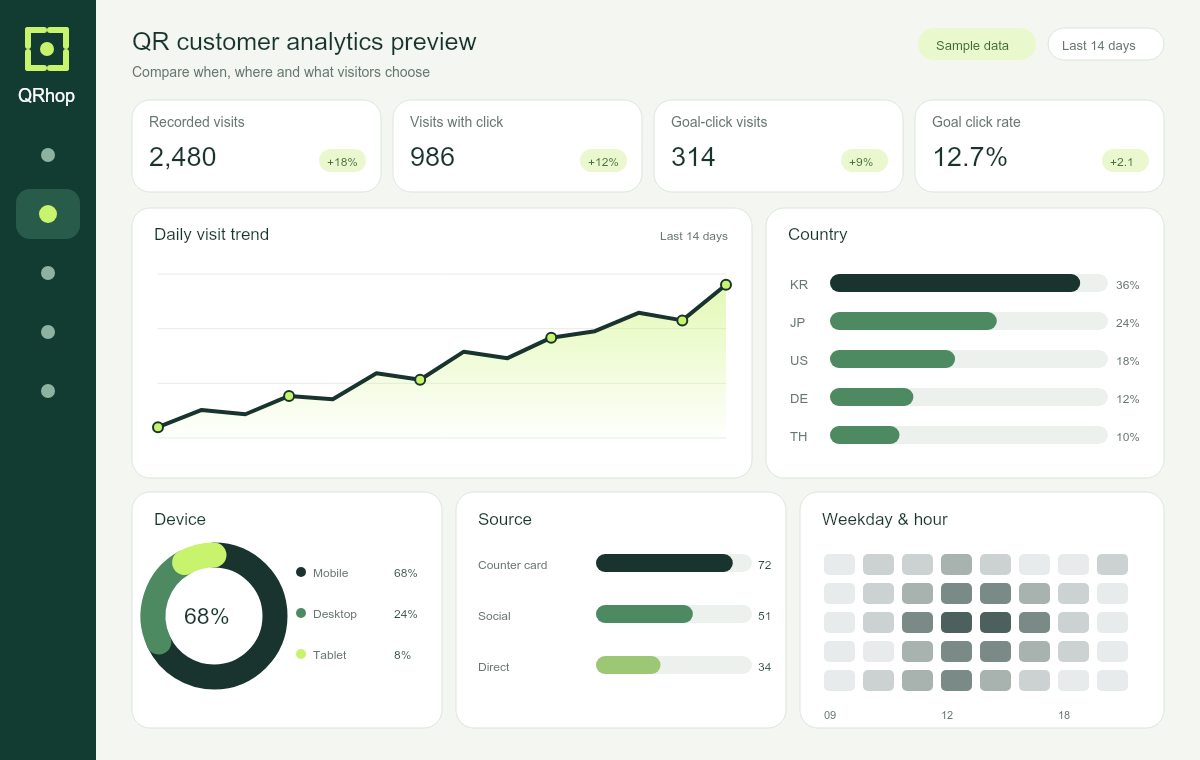
Sample data · illustrative only · never added to your reports
No recorded visits in this range. Publish a campaign QR and share it to begin.

Daily visit trend
Country
Device
Source
Weekday & hour
Rows · Analytics
What to examine next
Small samples do not establish a winner. Compare similar audiences and periods.
Recording coverage
Visits are page requests, not unique people or verified physical scans. Goal rate = landing visits with a goal-button click / recorded landing visits. A click does not confirm a booking or purchase. Clicks count within 30 minutes of a visit. Repeated clicks on the same button during that visit count once.
This page measures visits and button clicks using coarse country, device, browser, language and campaign details. No visitor names, raw IP addresses, tracking cookies or cross-visit identifiers are stored. Privacy signals and known bots are excluded. Reports cover the last 90 days. Expired records are cleaned during subsequent visits or report access. Delete analytics to remove all your records.
Previous-period comparison requires a complete prior period within the 90-day retention window.
Monthly recording limit: 10,000 visits. Links keep working after the limit.
Existing static QR files cannot report visits; use a QRhop campaign address.
Campaign QR
One address stays stable when you change the destination. Time and language rules take priority over the 50/50 test. UTM campaign tags are added to destination URLs.
Start your first campaign
Sign in to see your QR codes and campaigns and take the next step.
Sign in with GoogleTry one free dynamic QR first. Basic analytics cover 7 days and 100 valid visit records per month. Multiple campaigns and goal-button analysis are included in Premium.
- Publish a landing page
Save and publish a page with a destination and buttons in QR Studio.
- Choose a template for your goal
Choose menu, coupon or review, then confirm the published page and goal button before saving.
- Share the QR and check analytics
Download the PNG and test a print. Once real visits are recorded, select a period and campaign to view analytics.
Brand kits
Save up to 3 kits. Reuse them in the QR generator and batch tools.
Batch & print
Up to 100 rows per batch. CSV columns: title,type,value. Type is url or text. Files are prepared on this device. Export up to 100 QR codes per month. PNG, SVG and PDF of the same batch count once.
PDF contains printable QR images. Try one physical print before producing a batch.
Data handling
This page measures visits and button clicks using coarse country, device, browser, language and campaign details. No visitor names, raw IP addresses, tracking cookies or cross-visit identifiers are stored. Privacy signals and known bots are excluded. Reports cover the last 90 days. Expired records are cleaned during subsequent visits or report access. Delete analytics to remove all your records.